How to Rank on Google Maps: Ranking Factors in 2026
How to rank on Google Maps in 2026 comes down to optimizing your Google Business Profile for relevance, trust, and real customer actions. If your listing is not showing in the top spots, you are leaving money on the table every day.
In this guide, you will learn exactly what to optimize inside your Google Business Profile, starting with the primary category, services, hours, and description. You will also learn how to generate reviews that help rankings, what photos to upload (and how often), and how to create consistent activity that keeps your profile strong over time. Finally, we will cover the behavior signals that move the needle, and how your website and basic local Schema can act as supporting proof, without making them the main focus.
If you are not showing in the top results, or you get views but not enough calls, messages, or direction requests, the steps in this post will help you fix the biggest ranking and conversion gaps inside your Google Business Profile.
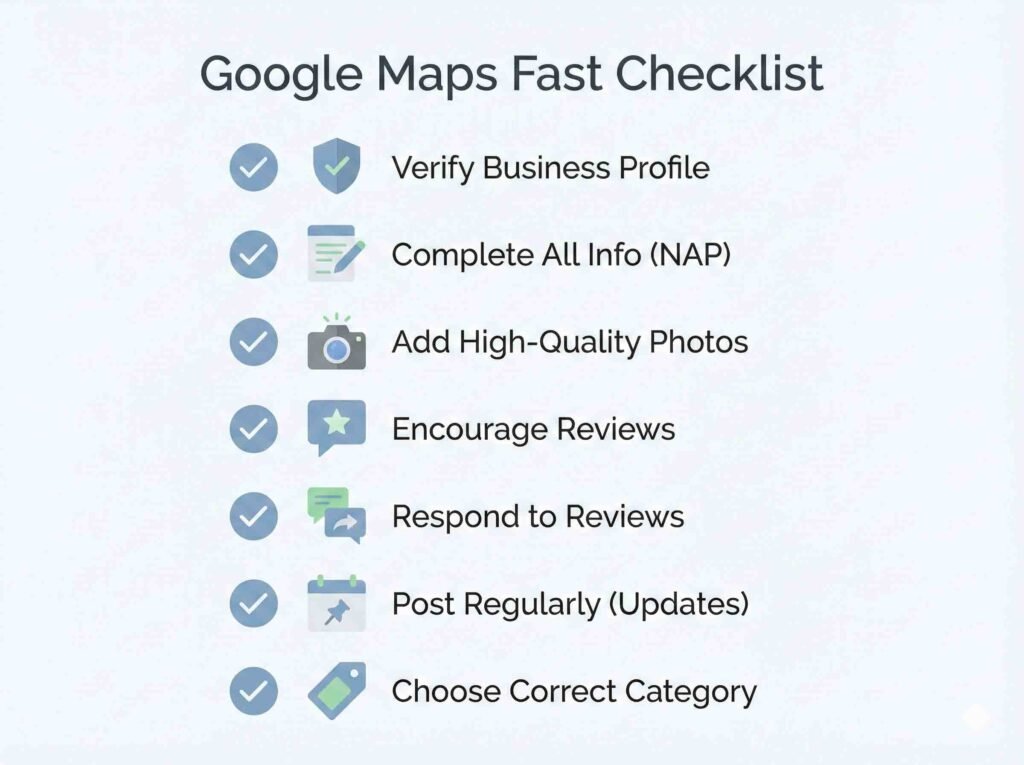
What Matters Most (2026)
- Choose the right primary category and keep it stable
- Complete services, hours, and key profile sections
- Build a steady flow of new reviews and reply to all
- Upload real, recent photos consistently
- Post updates and offers to keep the profile active
- Increase actions: calls, directions, clicks, messages
- Keep business details consistent; use Schema only as support
- Avoid fake signals and sudden changes that trigger drops
If you want a simple routine to keep those signals consistent every week, follow my 15 minute Google Maps maintenance routine.
If you also want the exact content structure I use to publish ranking pages, read this guide on how to create an SEO article that ranks.
Why This Audit Is Different
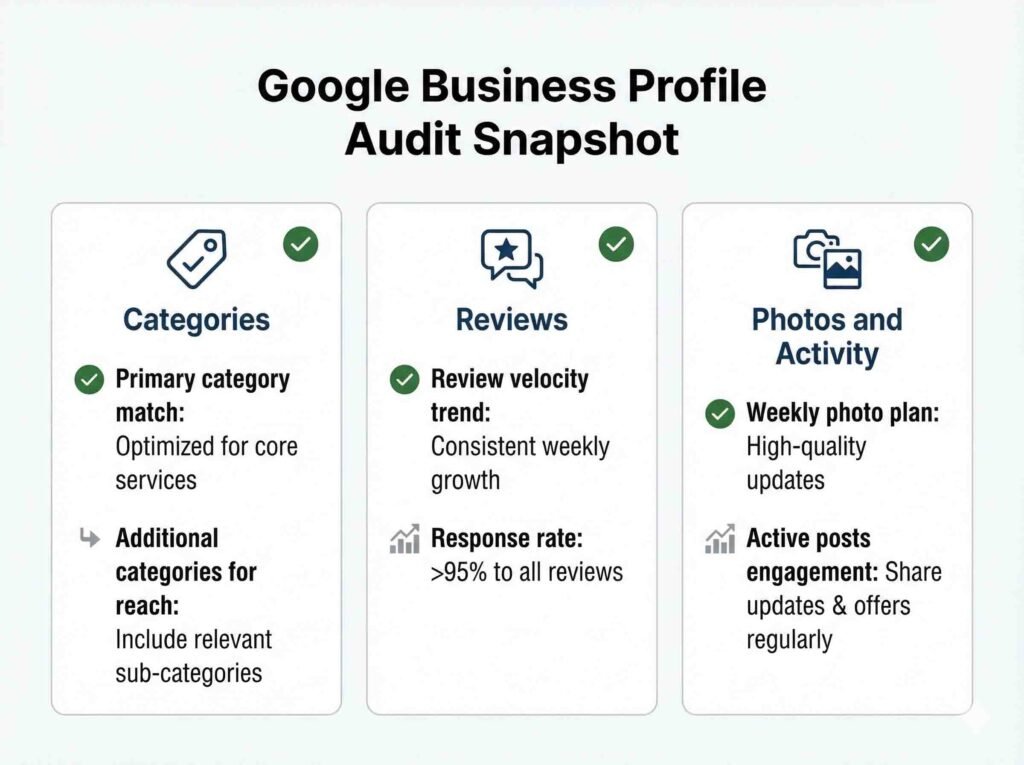
Most Google Maps articles stay at a high level. My audits are practical and specific. I review your primary category, services coverage, top competitors, review velocity and quality, photo strategy, and common causes of ranking drops. Then I send you the top 3 fixes that are most likely to move the needle first, based on what is happening in your market.
What You Get in the Free Google Business Profile Audit
In my free Google Business Profile audit, I will check:
- Primary category accuracy and the fastest category fixes for your main keywords
- Services and keywords coverage (what you are missing vs what people actually search)
- Reviews quality and velocity (how to get more reviews without risky spikes)
- Photos and activity signals (what to post weekly to boost engagement)
- Top competitors (what they are doing that Google is rewarding)
- Quick wins and red flags (what could be causing drops, filters, or low visibility)
How Google Maps Rankings Work in 2026 (Local SEO)
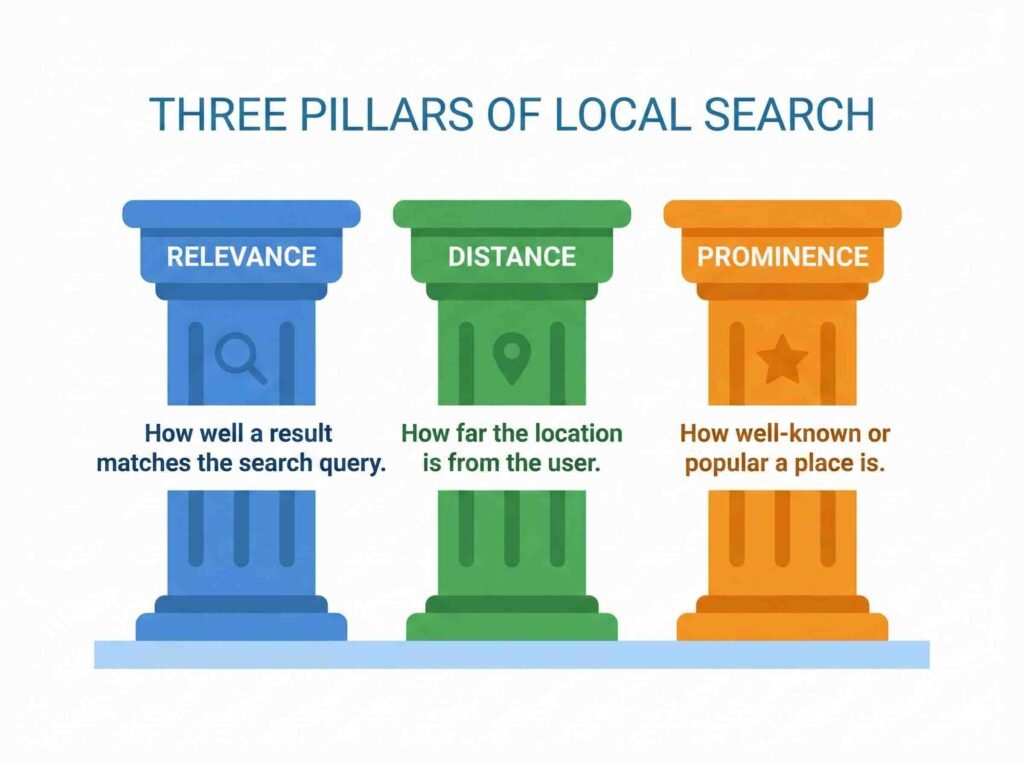
Google Maps rankings come down to three things: relevance, distance, and prominence. Relevance means your profile matches what someone is searching for (category, services, and clear business details). Distance is how close the searcher is to your location or service area. Prominence is your credibility: strong reviews, steady activity, and signals that your business is trusted locally.
In 2026, those factors still matter, but modern ranking signals matter too: entity clarity and consistency (Google clearly understanding who you are and what you do), stronger semantic signals (service keywords that match real searches), and real user behavior signals like direction requests, phone calls, clicks, messages, saves, and photo engagement. When your profile earns steady, real actions over time, Google reads that as a better result and rewards you with more visibility.
Forensic Google Business Profile Optimization
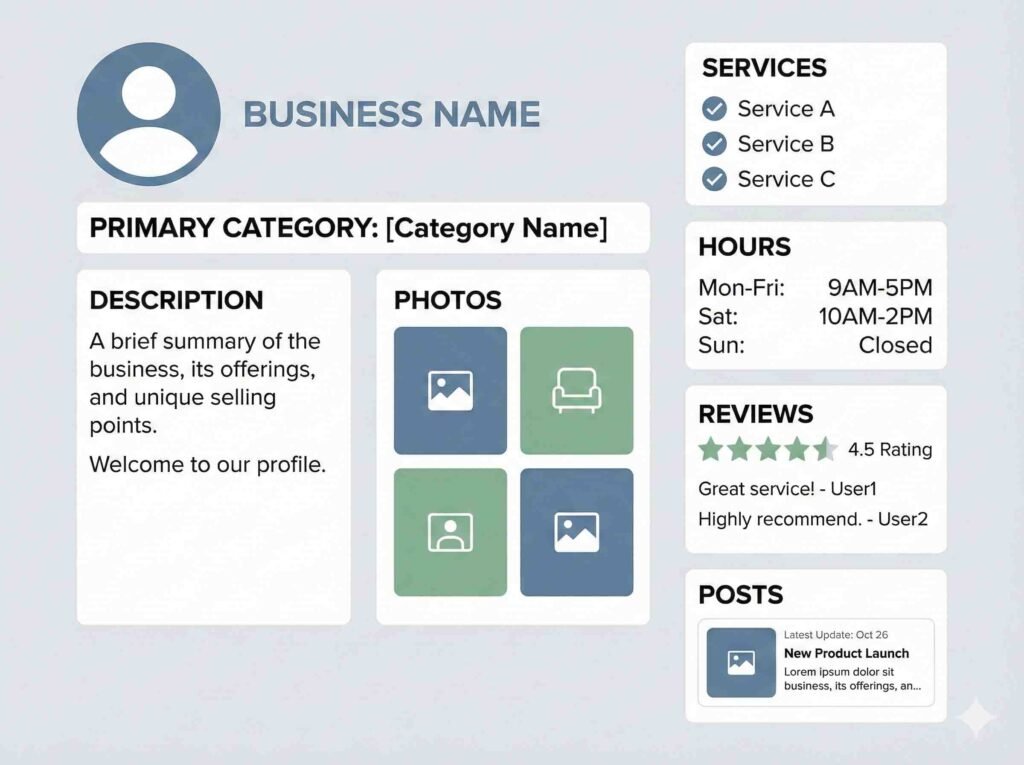
Primary category (the most critical decision)
Your primary category tells Google what you are and which searches you deserve to show up for. Changing it too often can confuse the system and create ranking volatility. Choose it based on real search intent, not what sounds best.
Secondary categories (4 to 9, without diluting relevance)
Secondary categories expand coverage, but too many or mismatched categories can weaken relevance. A strong range is 4 to 9 that truly reflect your main services and close variations.
Services (micro rankings with long tail terms)
Your services section works like an intent map. The more specific and accurate your services are, the more chances you have to appear for long tail searches. Instead of “Repair,” use clear services like “Residential AC repair” or “Water heater installation.”
Hours and “Open now” (trust matters)
“Open now” impacts clicks and conversions. If you claim 24 hours when you are not, you increase complaints, negative reviews, and trust signals going down. In local SEO, consistency and real customer experience beat shortcuts.
Business name (avoid keyword stuffing)
Do not add keywords to your business name unless they are part of your real, legal brand name. Keyword stuffing can trigger edits, suspensions, or ranking drops. Your name should match everywhere: your website, signage, social profiles, and citations.
Signals That Speed Up Rankings (Local SEO)
In competitive markets, what moves the needle is not just a “complete profile,” it is generating real actions inside Google Maps. Strong signals include direction requests, phone calls, profile visits, and time spent engaging with your photos. When people see you, click, call, or request directions, Google reads that as a better result for that search.
The ethical way to increase those signals is to make choosing you easy: use clear CTAs (Call now, Get directions, Request a quote), upload better and more recent photos (real work, storefront, team, before and after), publish GBP posts with offers or helpful updates, and improve your profile info so users find what they need fast. It is not about gaming the system, it is about improving the experience so people take action.
If you want a weekly checklist you can repeat without overthinking it, use my Google Maps maintenance routine.
Reviews That Actually Improve Google Maps Rankings (Not Just More Reviews)
Semantic quality (service + area, naturally)
Google learns what you do and where you do it from patterns in your profile and reviews. The goal is not to force keywords, it is to get real customers to describe the experience in a natural way.
What a strong review looks like:
- Mentions the service: “AC repair,” “brake job,” “haircut,” “roof inspection,” “tax prep”
- Mentions the area naturally: city, neighborhood, or nearby landmark
- Includes a real outcome: “same day,” “fixed the leak,” “clean install,” “explained everything”
Examples of high quality reviews:
- “They did a same day AC repair in Boca Raton and the tech explained everything clearly.”
- “Quick brake replacement near Downtown, fair price, and the car feels great now.”
- “Best haircut I have had in the area. Clean shop, on time, and super friendly.”
Examples that are weak (still valid, but less helpful for ranking):
- “Great service!”
- “Highly recommended.”
- “Awesome company.”
Consistent velocity (steady flow, no weird spikes)
A steady pace of reviews looks natural and builds trust over time. Big spikes can look suspicious or simply make your profile feel unstable. The best approach is to request reviews as part of your normal workflow.
Good patterns:
- A few reviews per week, every week
- More reviews in busy seasons, but still gradual
Bad patterns:
- 20 reviews in 2 days, then nothing for 2 months
- Only requesting reviews when you are “trying to rank”
Simple rule: ask after every completed job, not only when you need a boost.
Replying to reviews as SEO inside GBP (indexable text)
Your review replies are not just customer service, they are also local relevance text inside your Google Business Profile. A good reply can reinforce:
- The service type
- The location or service area
- Trust signals (speed, warranty, follow up, professionalism)
Best practice for replies:
- Thank them by name if shown
- Mention the service naturally
- Mention the area naturally when it makes sense
- Keep it short, friendly, and real
Reply examples:
- “Thanks, Maria. Glad we could handle your water heater installation quickly. Appreciate you choosing us in Miami.”
- “Thank you, James. Happy the roof inspection helped. If you ever need anything else in the area, we are here.”
What to avoid:
- Copy paste replies that look identical
- Stuffing keywords like “best plumber best plumber best plumber”
- Arguing publicly in negative reviews
Copy and Paste Templates (SMS + WhatsApp)
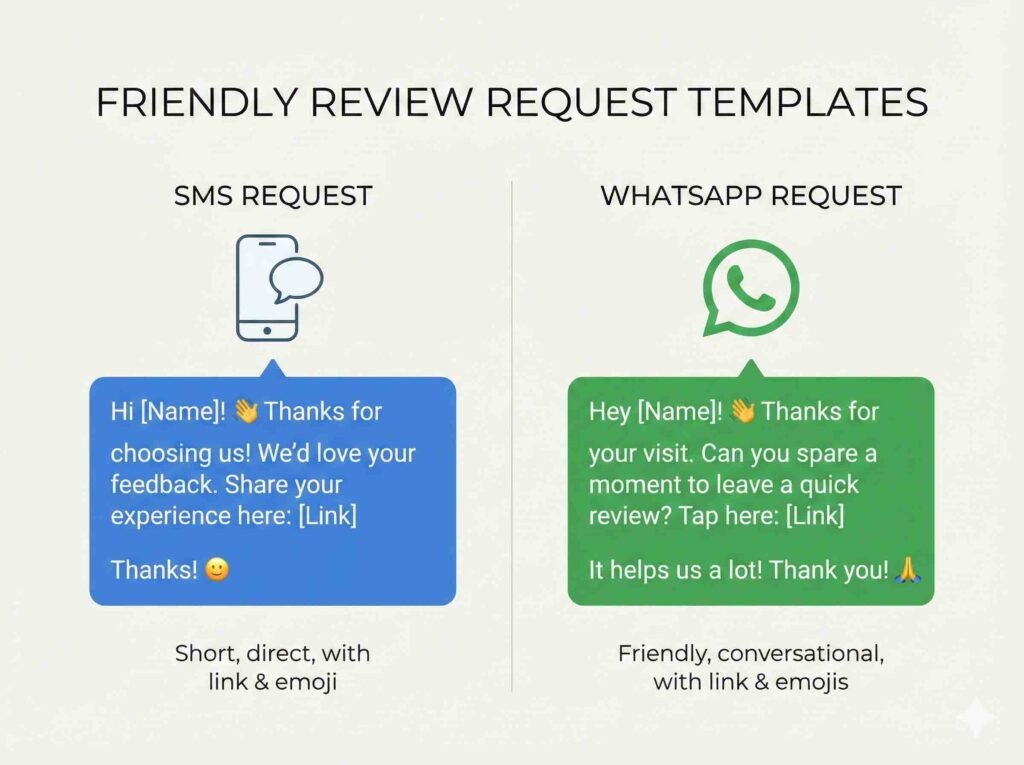
SMS template (short)
Hi [Name], thanks again for choosing us today. If you have 30 seconds, could you leave a quick Google review? It really helps local customers find us.
[Your review link]
If you mention the service you got and your area, that helps a lot. Thank you.
WhatsApp template (friendly)
Hey [Name] 👋 Thanks for trusting us with your [service]. If you are happy with the result, would you mind leaving a quick Google review?
Here is the link: [Your review link]
A short note about what we did and your area is perfect. I appreciate you.
Photos and Visual Search: The Silent Boost
What photos to upload
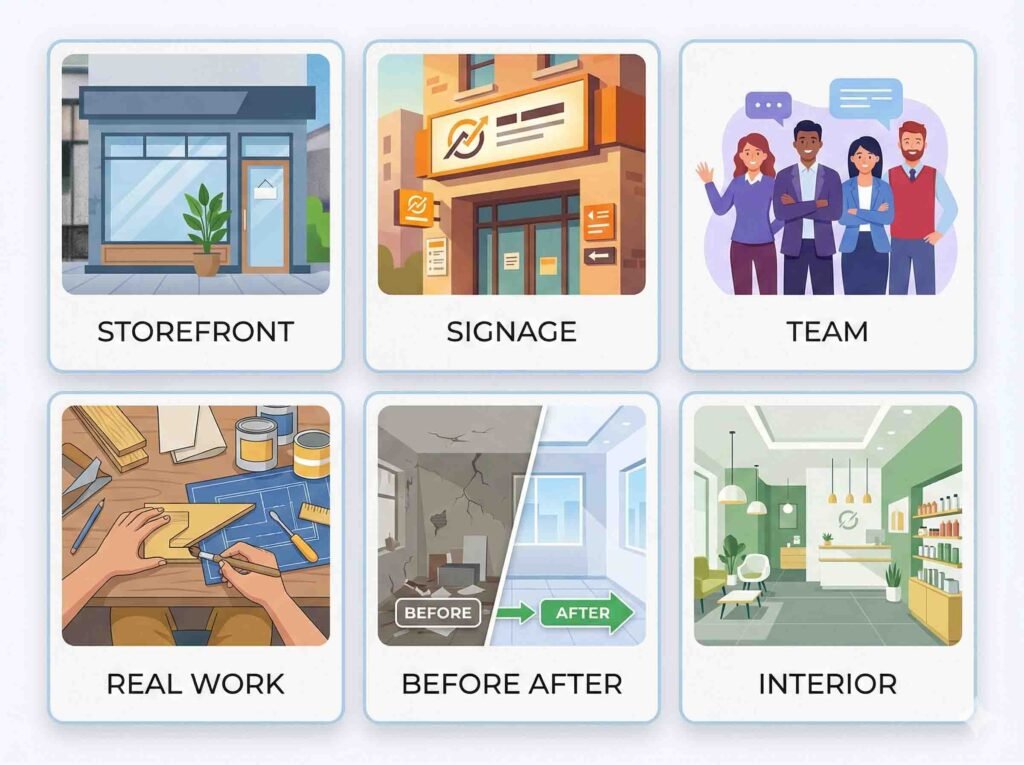
Photos are not decoration, they are proof. Google and customers want to see that your business is real and that you actually do what you claim. Prioritize:
- Storefront and entrance (what it really looks like)
- Signage (your business name visible)
- Team and equipment in action (real, not stock)
- Real work and results (service happening)
- Before and after photos (great for cleaning, repairs, remodels, detailing)
Weekly minimum frequency (the “active business” signal)
A profile with recent photos looks active and trustworthy. A simple rule is to upload photos every week. You do not need 50 at once, you need consistency. Posting 3 to 10 photos weekly is usually better than one big upload once a month.
Descriptive file names (and why they matter)
Before uploading, rename your photo files with clear, descriptive names. This helps organization, consistency, and basic semantic signals when you also reuse the same images on your site or content. Examples:
- ac-installation-miami.jpg
- roof-repair-orlando-before-after.jpg
- barbershop-haircut-front-entrance.jpg
Avoid names like IMG_8392.jpg because they do not describe anything.
Video verification: mini checklist to avoid failing
If Google requests video verification, the goal is to prove your business exists and operates. Quick checklist:
- One continuous video, no cuts
- Show the street and address number when possible
- Show the entrance and your sign
- Walk inside and show your operational space (tools, work area, inventory)
- Show proof of access or operation (keys, register, computer, branded vehicle if mobile)
- Have your business license or documents ready if requested during the process
Your Website Can Also Boost Your Google Maps Rankings (and vice versa)
Location pages if you serve multiple areas (without doorway pages)
If you serve multiple cities or areas, you can create location pages, but only when they provide real value. Avoid copy and paste pages that only swap the city name because those can look like doorway pages. A strong location page includes:
- The specific services you actually provide in that area (with real detail)
- Local proof: real photos, examples of work, reviews, and helpful FAQs
- Consistent business info (name, phone, hours)
- An embedded map and a link to your Google Business Profile
Hub and spoke internal linking
Use a clear structure: your main service page is the “hub” and links out to the location pages as “spokes.” Each location page should link back to the main service page and to 1 to 2 related pages. This helps Google understand your site structure and reinforces local relevance without duplicating content.
Internal links plus a few outbound authority links to strengthen the cluster
To add trust and context, include:
- 2 to 4 internal links to key pages (services, contact, case studies, reviews)
- 1 to 3 outbound links to relevant authority sources (do not overdo it)
This improves user experience and strengthens your local SEO topic cluster.
Recommended Schema for Local SEO
Schema is structured data markup added to your website (not inside Google Maps). It helps Google understand your business and content in a clean, consistent format. Key benefits: stronger entity clarity, less confusion (especially when similar businesses exist), and better interpretation of your local business information.
LocalBusiness (to strengthen your entity)
Implement LocalBusiness Schema as completely as possible so Google clearly understands who you are, where you operate, and how to contact you. At minimum include:
- geo (coordinates if applicable)
- openingHoursSpecification (structured business hours)
- areaServed (cities or service areas you cover)
- sameAs (links to official profiles: social accounts, relevant directories, etc.)
This helps solidify your business entity and reduces ambiguity, especially in competitive markets or when names are similar.
Article + FAQPage (for the blog post)
For your blog article, use Article Schema and add FAQPage with 8 to 12 questions focused on real Local SEO and Google Maps questions. Important: do not make up data, reviews, ratings, prices, or results. Your FAQs should be helpful, clear, and aligned with what the post actually covers.
Local Citations and Links That Actually Matter
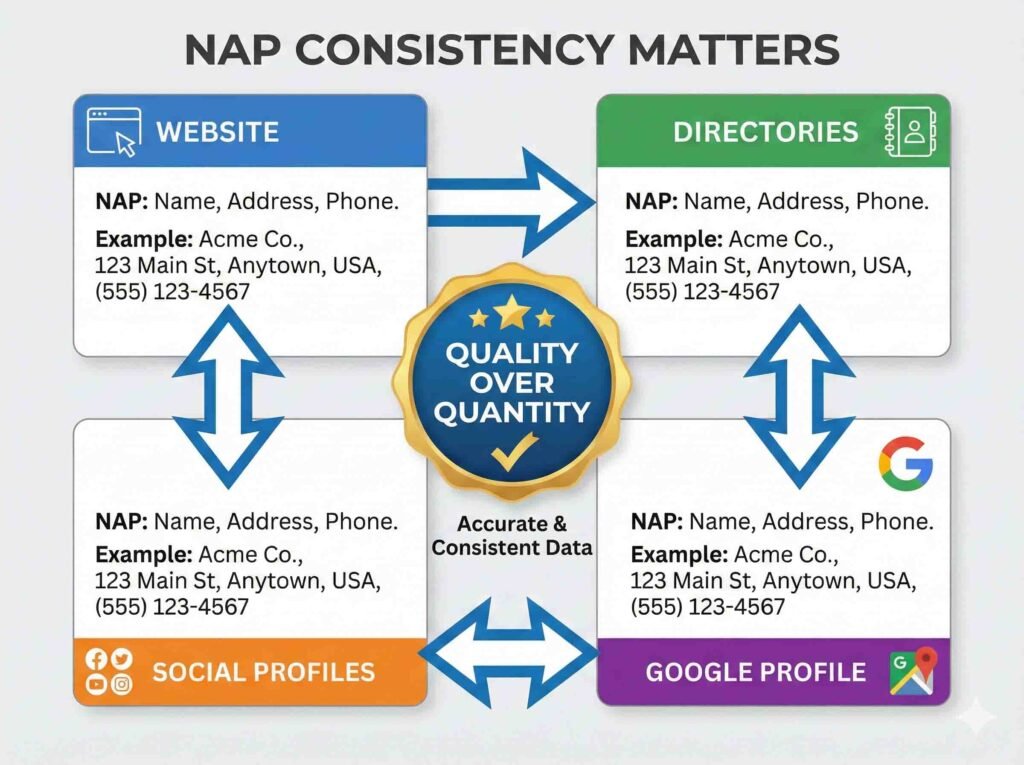
NAP consistency (basic hygiene)
Keep your Name, Address, and Phone number exactly the same everywhere: your Google Business Profile, website, directories, and social profiles. Even small differences like “St.” vs “Street” or a different phone number can create confusion and weaken trust signals.
Quality over quantity (what that really means)
Google does not only look at your Google Business Profile. It also checks whether your business is mentioned on other trusted sites across the web, like directories, professional organizations, and local media. That acts as validation: “this business exists, it is real, and the information matches.”
That is why being listed on 200 random directories that nobody uses is not worth it. It is better to be on a smaller set of places that are relevant and credible, such as:
- Well known directories or industry specific directories where real customers search
- Your local Chamber of Commerce or professional associations
- Local news sites or local blogs that mention your business
- Real community links (sponsoring an event, partnerships, local collaborations)
These citations and links carry more weight because they fit your business, they are verifiable, and they are connected to your local area. That strengthens trust and can help your visibility on Google Maps.
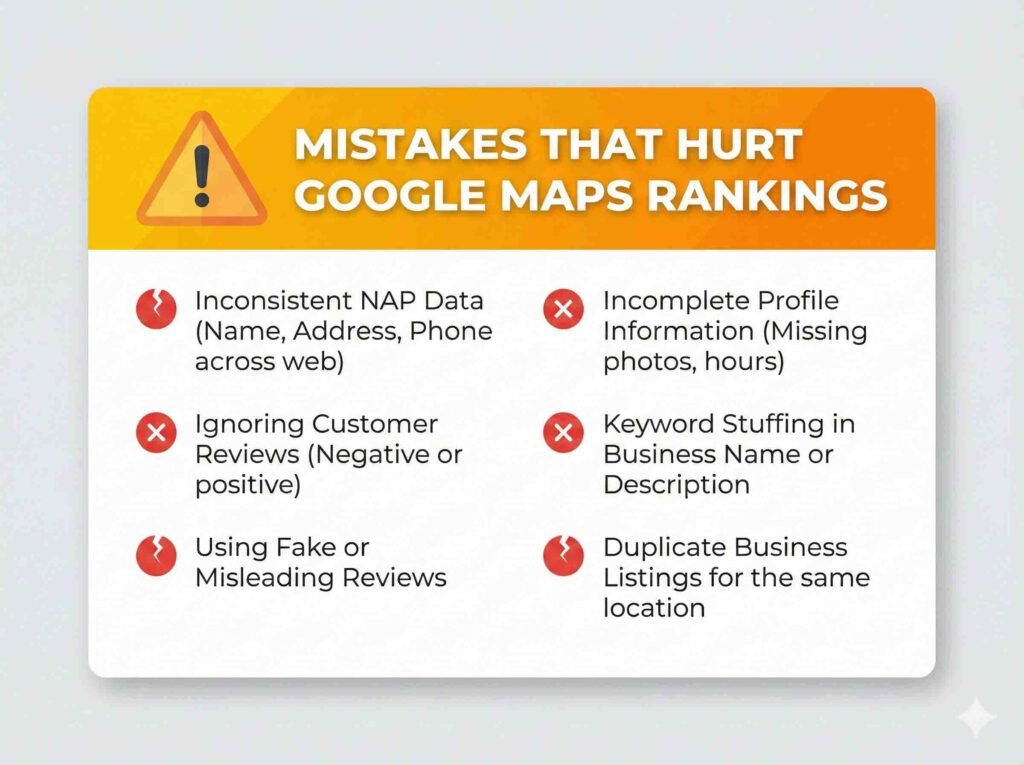
Mistakes That Hold Back Your Google Maps Rankings
- Changing your primary category too often (creates volatility and weakens relevance).
- Listing fake hours or claiming 24/7 when you are not (kills trust and increases complaints).
- Using stock photos or images that do not prove real activity (hurts credibility).
- Getting unusual review spikes in a short time, then nothing (looks unnatural).
- Creating duplicate city pages or cloned content that only swaps the location name (doorway risk and low quality signals).
- Not replying to reviews (you lose trust and a chance to reinforce local relevance).
What Changes Usually Move the Needle
Most ranking improvements come from fixing category alignment, adding missing services, improving review consistency, and posting real photos weekly. When those signals become steady, profiles typically see more actions like calls and direction requests, which can improve visibility over time.
Frequently Asked Questions About Ranking on Google Maps (2026)
How long does it take to rank higher on Google Maps?
It depends on competition and your signals. In many cases, you can see improvements within 2 to 6 weeks if you consistently optimize your category, services, photos, and reviews. In highly competitive areas it can take longer, but consistency speeds it up.
What matters more: reviews or proximity?
Proximity matters, but you cannot fully control it. What you can control is relevance and prominence: the right primary category, clear services, steady reviews, and real activity. That is what helps you move up when Google compares similar businesses.
How many photos should I upload per week to improve visibility?
At minimum, upload 3 to 10 photos per week. A few photos consistently is better than uploading 50 in one day. Focus on real photos: work in progress, results, your team, your location, and before and after shots when relevant.
How do I choose the right primary category in Google Business Profile?
Pick the category that best describes your main service, the one that brings you the most customers and search demand. Do not pick a category just because it sounds broader. Your primary category strongly influences which searches you can rank for.
Should I add keywords to my business name, or is it risky?
It is risky if the keywords are not part of your real brand name. Adding extra keywords can lead to edits, reports, or ranking drops. Keep your name consistent with your legal name and your real world signage.
What should I do if Google asks for video verification?
Record one continuous video with no cuts. Show the street or surroundings, your entrance and signage, your operational space (tools, work area, inventory), and proof you have real access (keys, register, computer, or a branded vehicle if you are mobile).
How can I rank in nearby cities if I do not have a physical location there?
Do not create fake locations. Instead, optimize your service area settings, earn real reviews from customers in those areas, and use supporting website content only when it adds real value (avoid duplicate city pages).
How do I measure if my Google Maps rankings are improving?
Track three things: your rankings for key search terms, your profile performance (calls, direction requests, clicks, messages), and your growth in reviews and photos. When profile actions increase, visibility usually increases too.
Want more traffic beyond Maps? Here is my step by step framework on how to create an SEO article that ranks.
Conclusion and Next Steps
If you want to rank higher on Google Maps in 2026, it is not about hacks. It is about optimizing what Google actually measures: a complete profile, real activity, steady reviews, and user signals that show people are choosing your business. Apply this guide consistently and you should see improvements in visibility, calls, and direction requests.
Want me to review yours?
- Free Google Business Profile Audit
- Full Optimization (GBP + reviews + minimal website support)
Fill out this form and I will send you a clear diagnosis with the 3 changes most likely to move the needle first, straight to the point and focused on results.